Step one
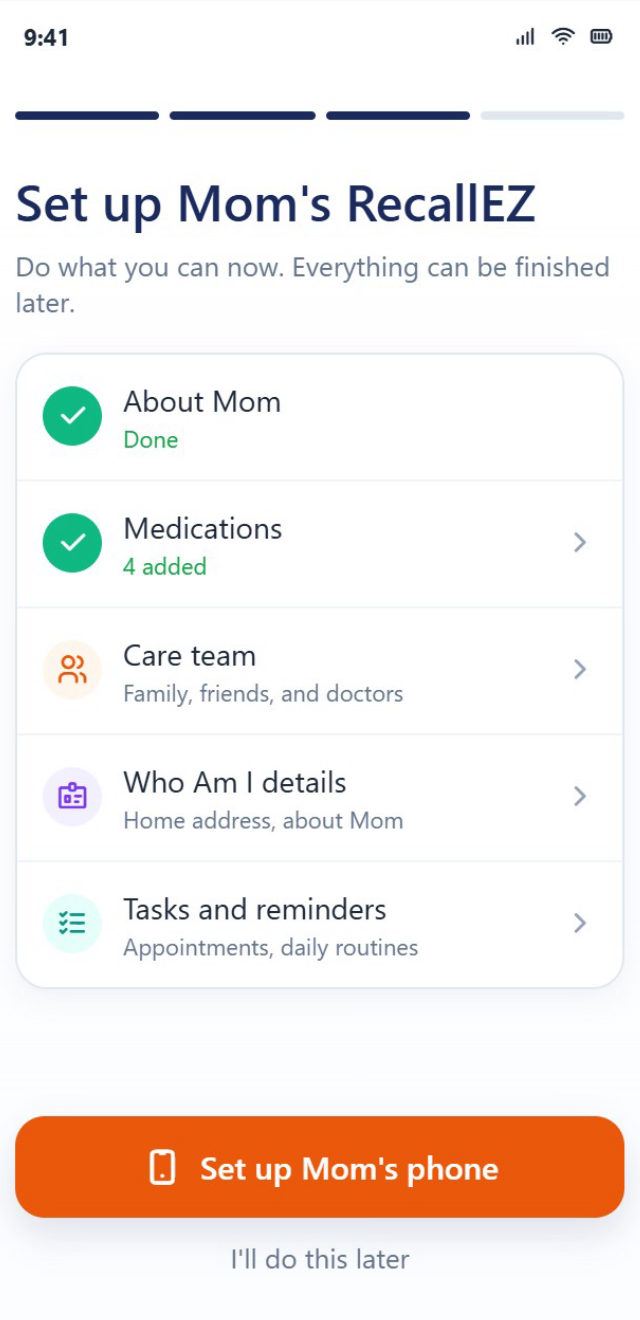
Tell us about Mom
Create her account from your phone and add her medications, reminders and care team. Finish now or come back later.
Down the hall or across the country, RecallEZ lets you set up Mom’s phone, see how her day is going, and hear about it quietly when something needs you.
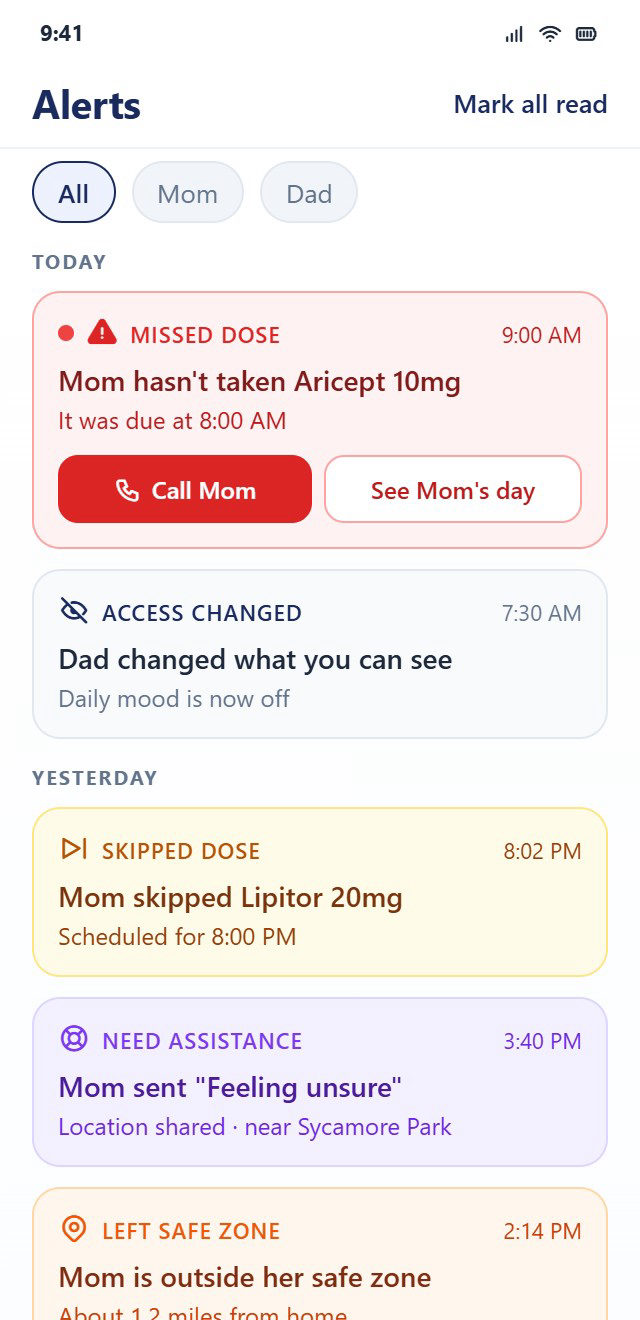
You do the setup from your own phone. Mom doesn’t have to install, type or configure anything.
Create her account from your phone and add her medications, reminders and care team. Finish now or come back later.
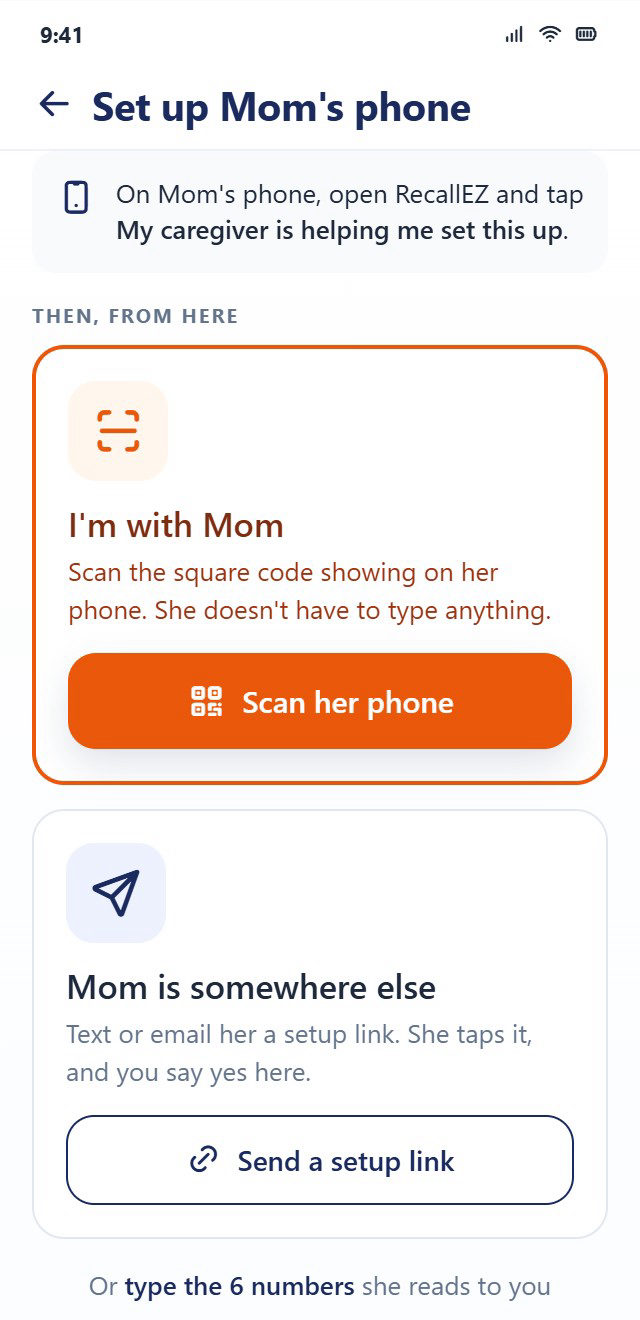
Connect her phone to her account, whether you’re with her or not.
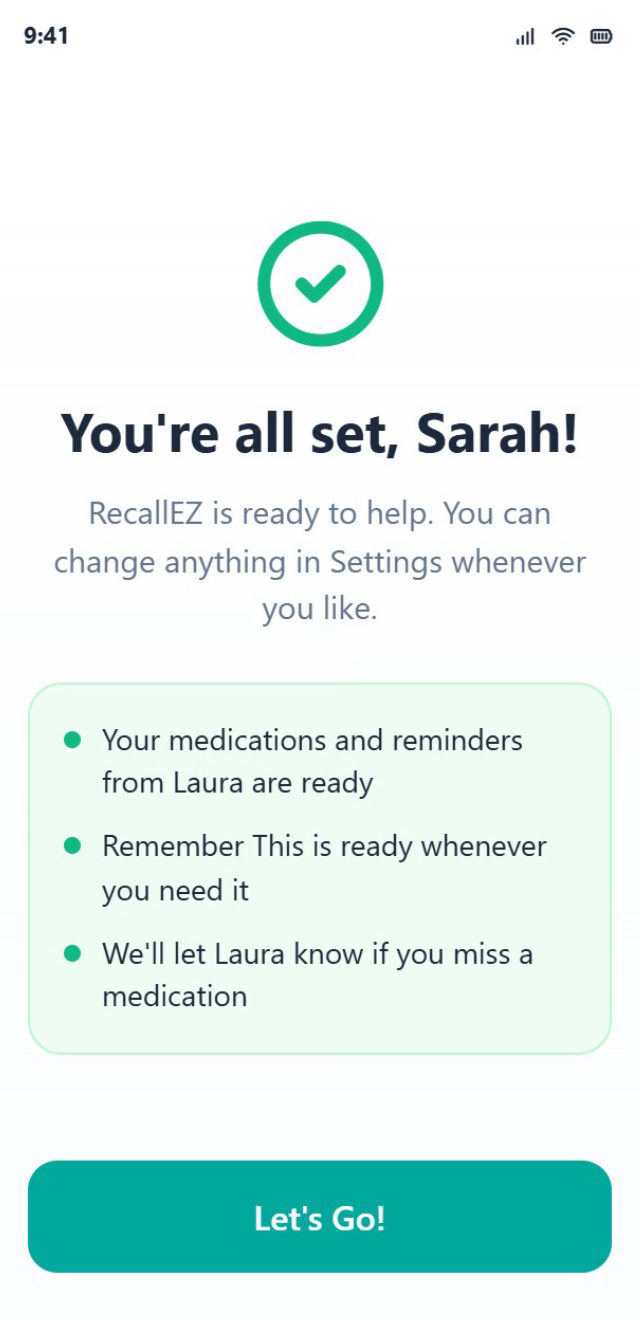
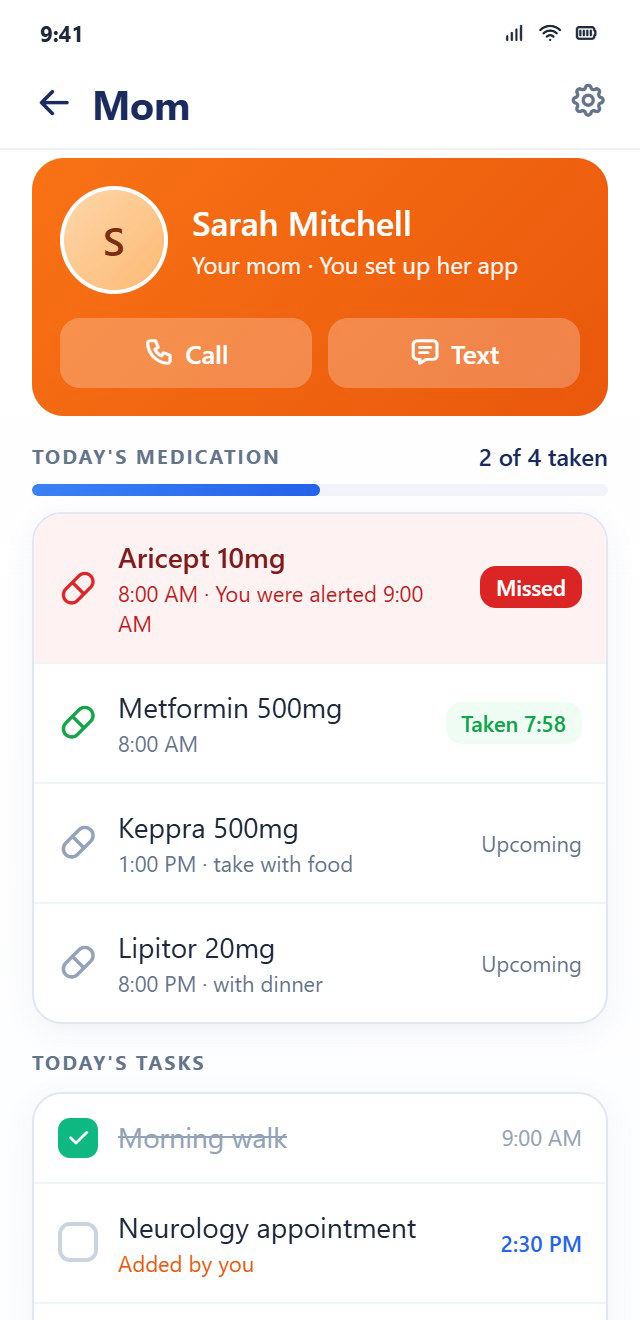
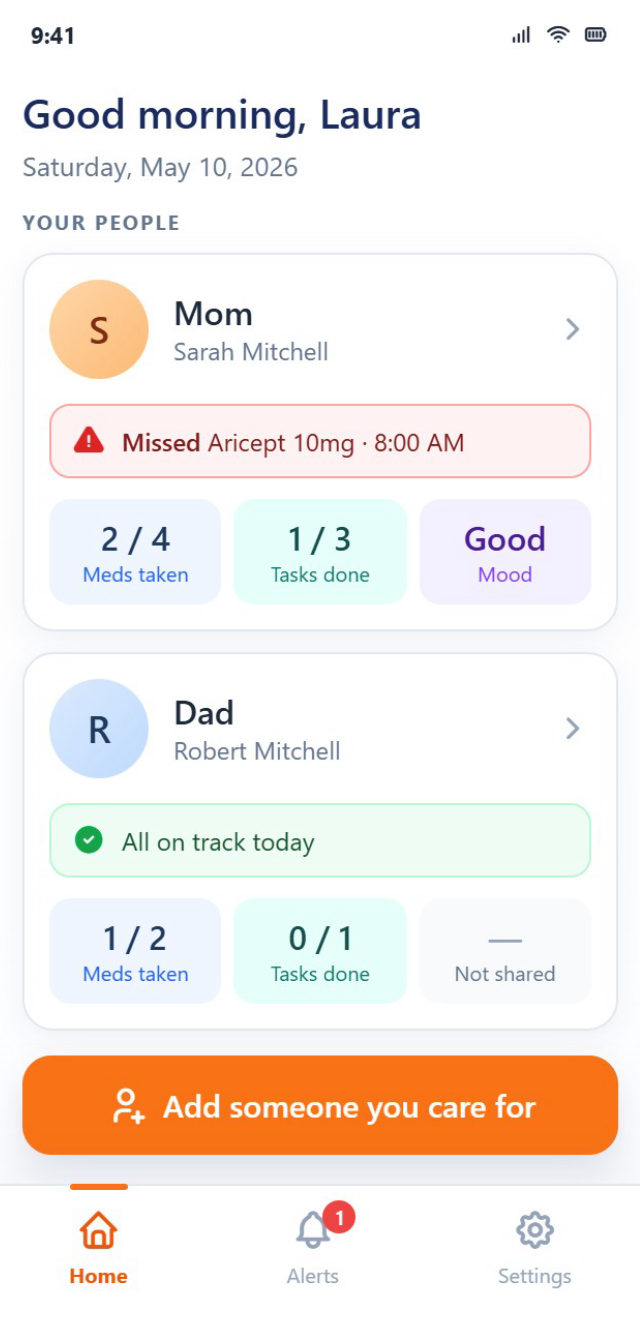
Her medications and reminders are waiting when she opens the app. From then on, your home screen shows how her day is going.
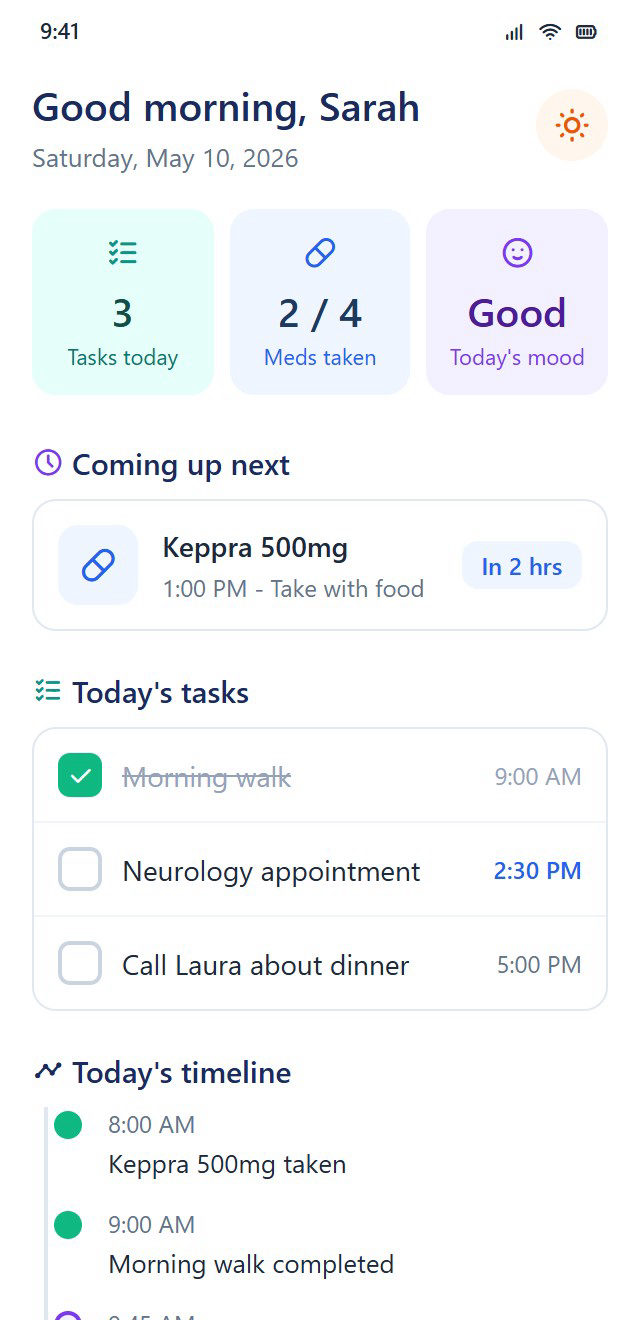
What’s next, what’s done, and how they’re feeling, in big, clear type.
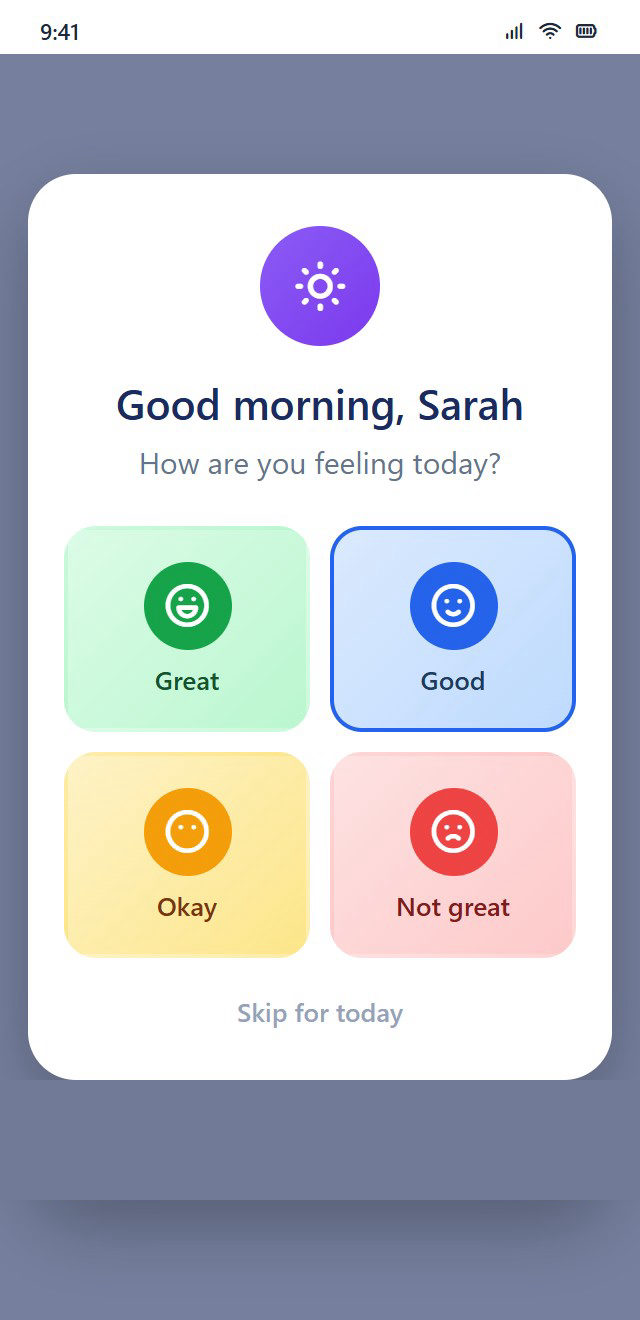
One tap to say how they feel, seen only by the people allowed to see it.
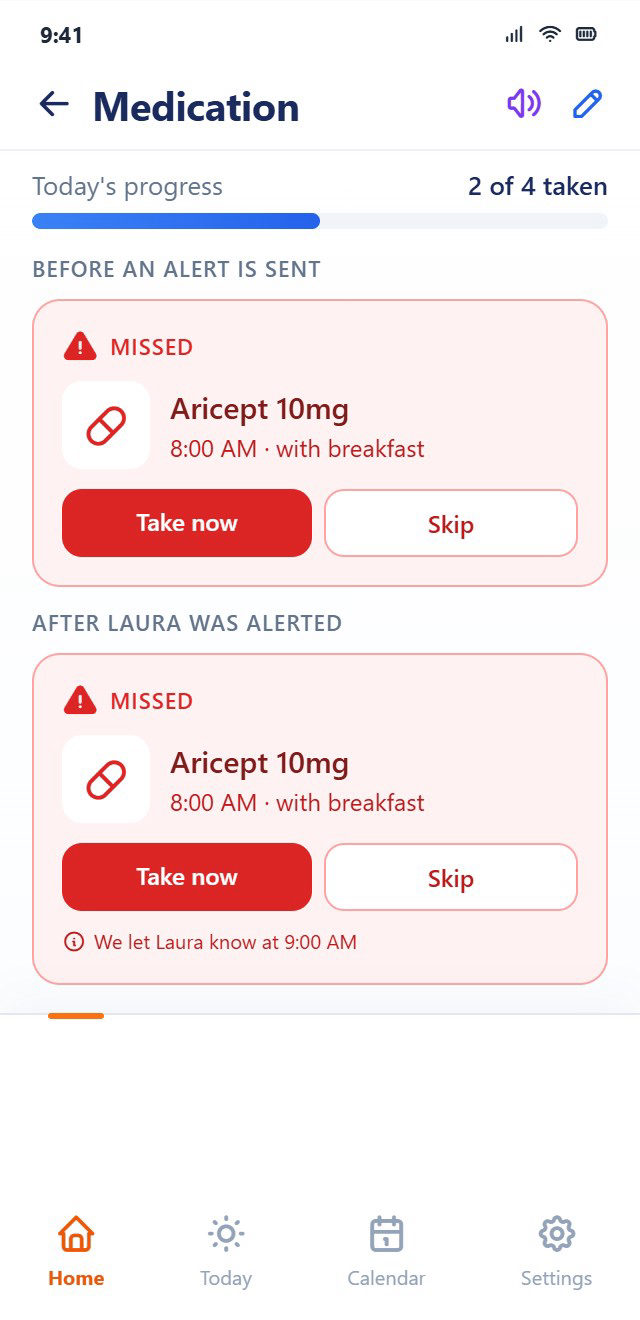
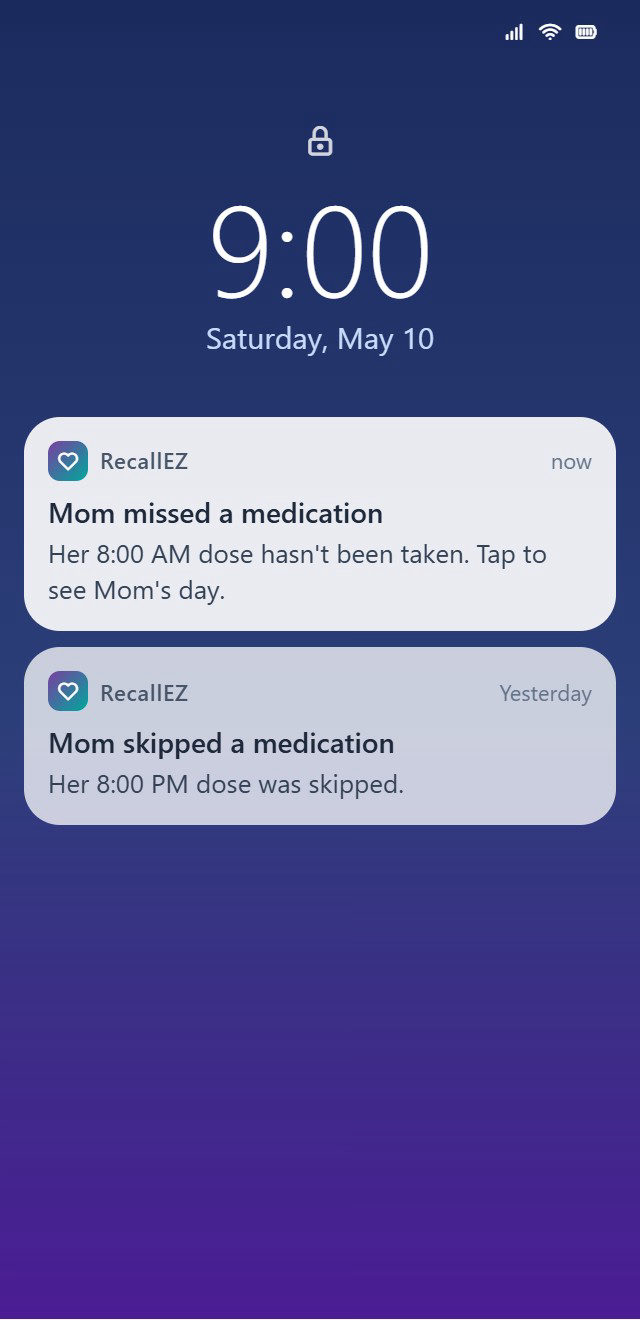
When you’re told about a missed dose, they see a calm note saying so.
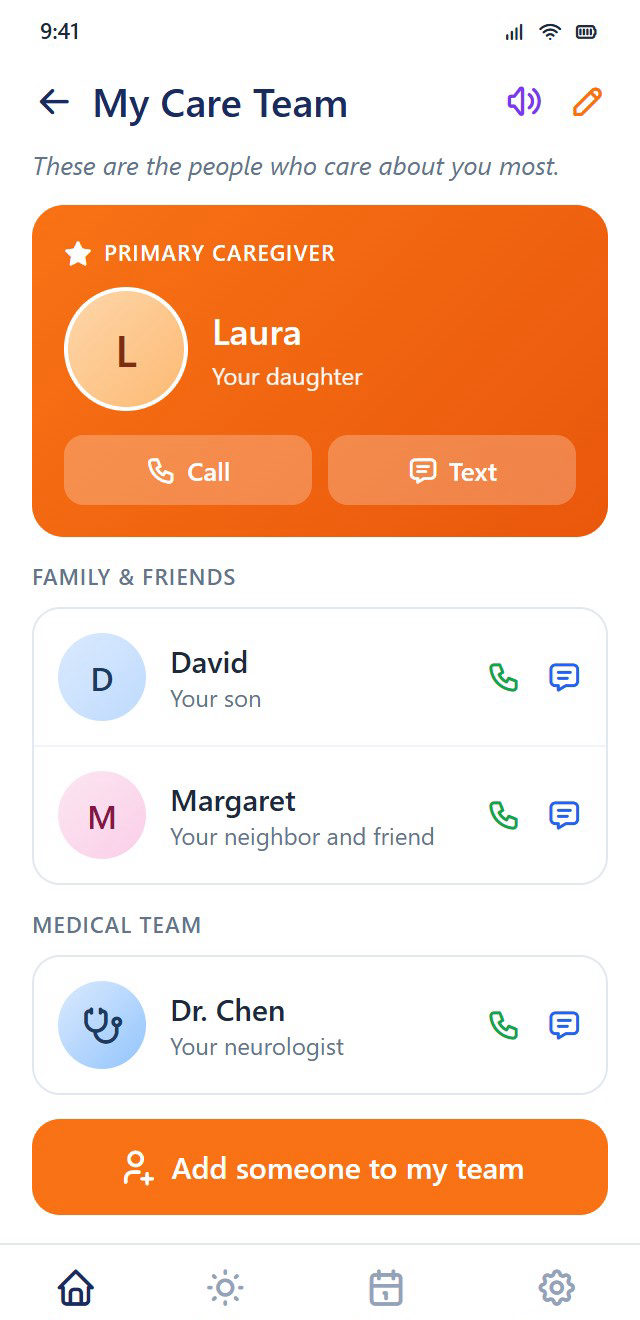
Everyone who helps, with names and how they know each person. One tap to call.
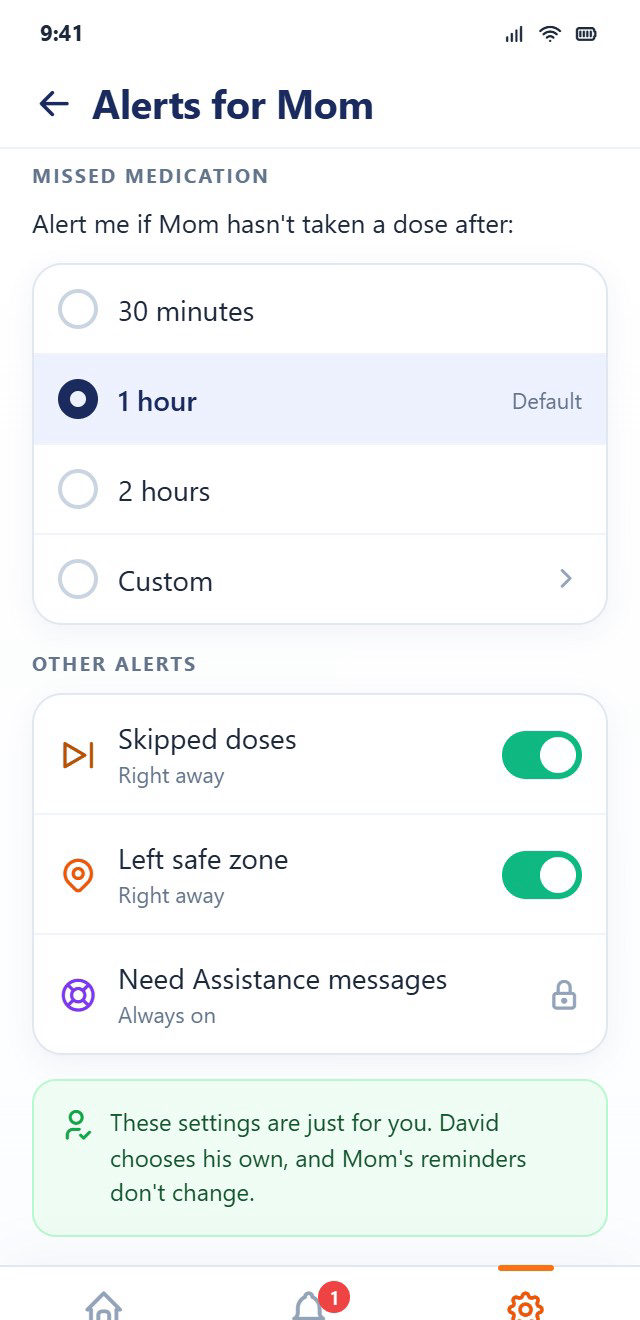
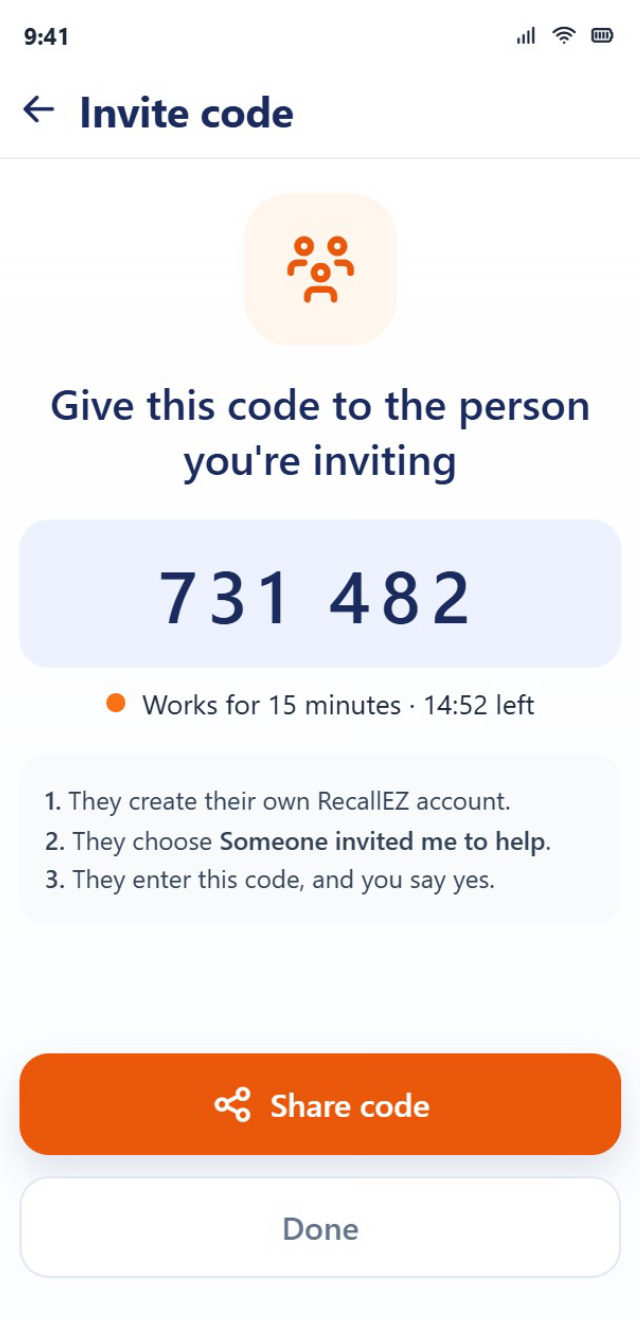
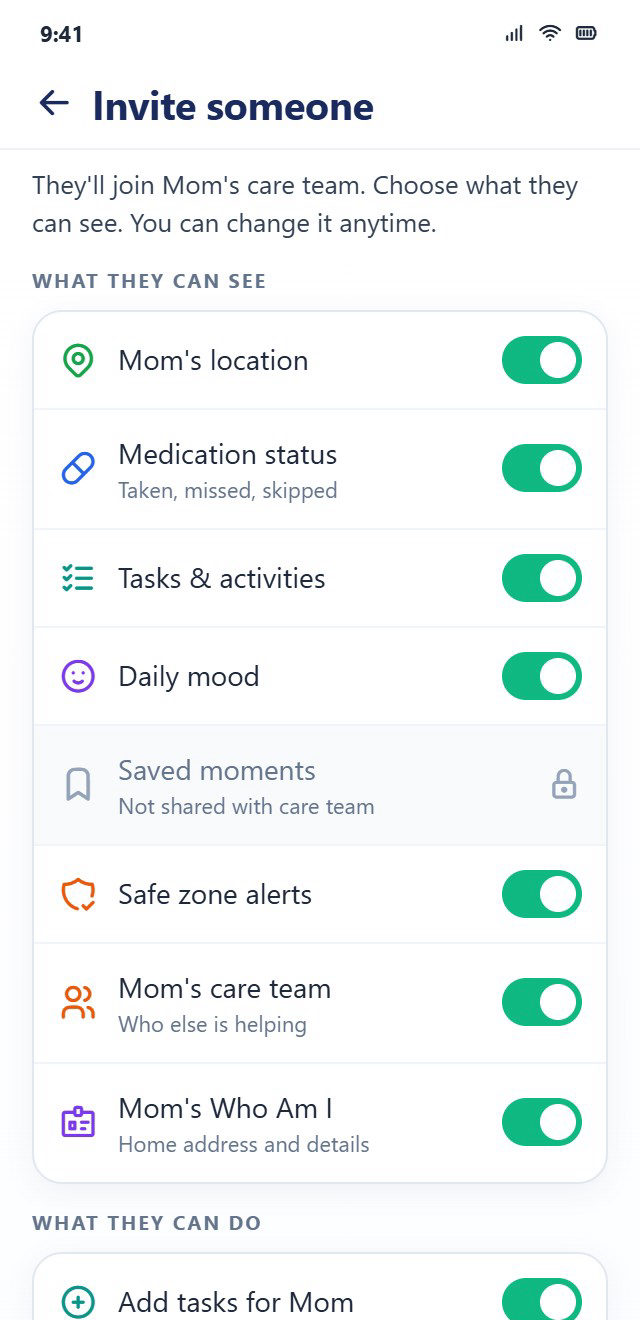
Share the load with a brother, a neighbor or a nurse. Each person downloads the same app and joins with a code you give them.
She can always use and change her own app, no matter who set it up.
She can see who has access to her information, and what each person sees.
Turning something off asks first, and can be undone for about a minute.
Her reminders are set on her own phone, so they still go off when yours is off.
No. You do the setup. They see six large buttons, clear words, and a voice that can read any main screen aloud.
Yes. One caregiver can look after several people, both parents for example, and each one appears on your home screen.
Yes. RecallEZ is for anyone living with memory changes, whatever the cause, and for the people who help them.
No. Everyone uses the same RecallEZ app. Others join the care team with a six-digit code from you.
If you set up RecallEZ for someone, you look after their account. They can always use their own app and see who has access, and they can ask to take the account over later.
Then it’s their account. They choose their caregiver and decide what everyone, including you, can see.
Yes. Any caregiver can set up and look after someone’s account, and one caregiver can look after several people. Today RecallEZ is built for individuals and families; we’re not yet offering tools for agencies. If that’s you, write to us at support@recallez.com. We’d like to hear what you need.
Soon you’ll be able to join the beta with someone you care for, or hear from us the day it launches.
There’s nothing to sign up for yet. We’ll open sign-ups here before beta testing starts.
Questions in the meantime? Get in touch.